The hotel proposal says “equipped room, microphone and Wi-Fi”. That sounds sufficient until you ask how someone who cannot understand the speaker will receive the translation. You need to connect three services that may have different owners: room audio, connectivity and translation.
For simultaneous translation at a hotel, get written confirmation of the microphone audio output, operator and audience connectivity, and technical support for the rehearsal. Then choose human interpretation or AI translation according to the content and format. Use this guide to compare quotes and prepare a request for the venue.
Each language uses minutes: one hour in two languages uses 120 minutes. All channels share the service audience limit. Event, Conference and Congress include 2, 3, 4 languages respectively and one active source. Extra language slots cost €19 per month on monthly plans only, up to four languages in total, and add no minutes or listeners. A pending request does not activate capacity.
Define the event before asking for a price
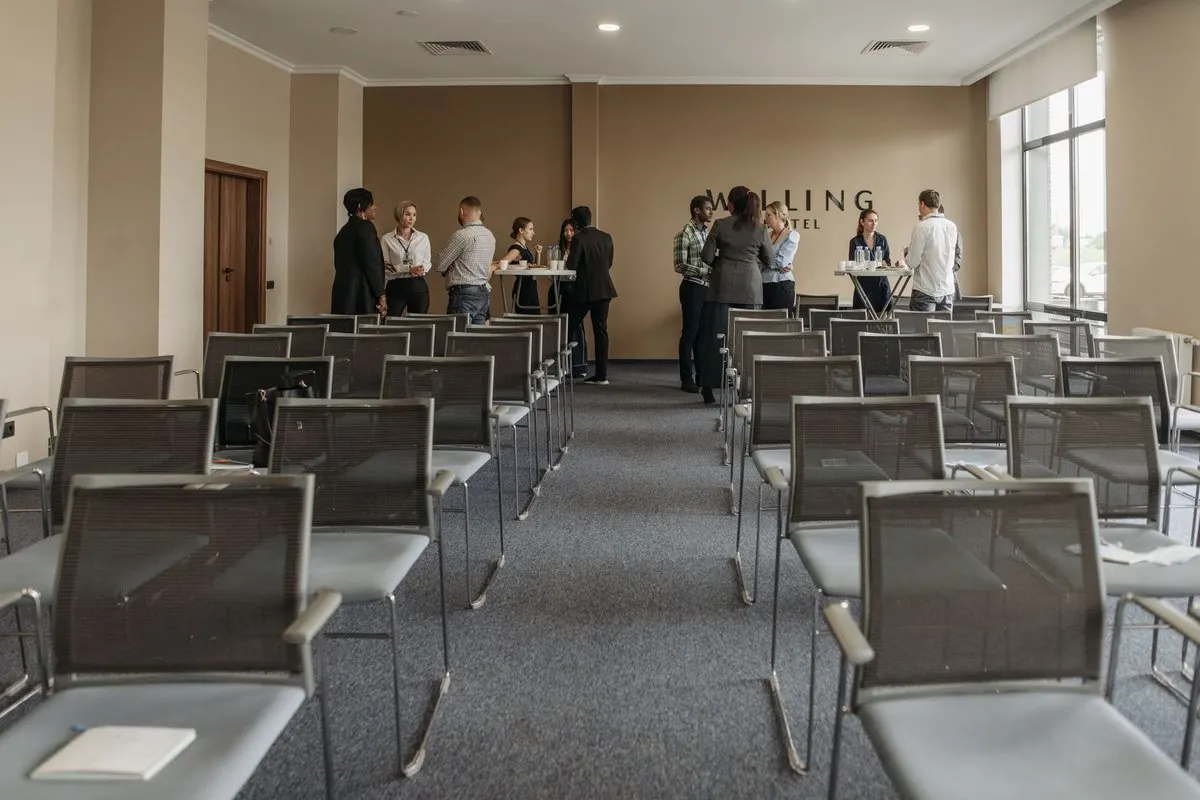
Give the hotel the date, setup access time, format, audience size, languages and programme. Distinguish total attendees from people who will use translation. Explain whether there will be one presenter, a panel or audience contributions.
Consider a hypothetical event with 60 attendees, including 20 who need a Spanish translation of an English presentation. There are 50 minutes of presentation and 20 minutes of questions in one room. Plan for 70 minutes of content plus rehearsal and any allowance you choose. If questions are asked in Spanish, agree on how the speaker will receive them: English-to-Spanish translation does not automatically cover the reverse direction.
Use the bilingual meeting Q&A guide to plan that part. A specific programme makes it easier to compare equivalent proposals.
What the hotel should confirm about sound
Ask the technician to identify the planned microphones and a compatible output carrying every voice you want translated. A room display does not replace this output. Confirmation that the loudspeakers will sound good is also insufficient.
Shure explains that microphone choice depends on the space and meeting format. Turn that into practical questions for your site visit: will the system capture a presenter walking across the stage? How will it capture questions from tables? Who will handle the audience microphone?
Scroll the table to see every column.
| Ask for confirmation of | Why you need it |
|---|---|
| Microphones and voices included in the output | Avoid missing contributions from the programme |
| Output type, connectors and signal level | Prepare a compatible connection to the computer |
| Technician’s name and availability | Resolve setup and presenter changes |
| Reserved rehearsal time | Check the route before attendees arrive |
| Extra equipment or support charges | Compare the complete price |
If you will receive a mixer feed, the mixer-to-computer connection guide explains the input checks. That technical route also applies to an event room.
What to ask about internet and audience access
Request the audience network name, joining procedure and contact for connection problems. Ask about sign-in portals, device limits and password changes during the event. For the operator, check whether an authorised wired connection is available.
A speed test at reception does not establish how phones will work inside the occupied room. Rehearse access, translation reception and playback there using the intended devices. Two phones can reveal joining problems; they do not certify capacity for the full audience.
Agree on the procedure if connectivity fails and who will make that decision. Depending on the event, you might pause the session, arrange bilingual assistance or use prepared material. Tell attendees about the change and prepare any continuity arrangement before promising it.
Choose translation according to the meeting
Consider professional interpretation for negotiations, formal commitments or content where every nuance matters. If a group needs to follow a presentation in one target language and you can review a rehearsal, AI translation may be worth evaluating. The human, remote and AI interpretation comparison develops those criteria.
With MoriahTech IA for events, the operator sends audio and shares the session’s public QR code or link. Attendees open a browser to listen with headphones or follow captions, without installing an application or registering. They need connectivity and a suitable device.
Each language channel has one target language. Two simultaneous targets or two parallel rooms require checking configuration and capacity. Do not assume captions are automatically inserted into the hotel display or a livestream; define that route separately.
Compare the complete quote
Request separate lines for room hire, microphones and audio output, technical support, any connectivity charge, translation and additional materials. Ask for taxes, setup time, overtime and cancellation terms. There is no universal hotel rate from which those costs can be calculated without a venue quote.
The MoriahTech IA Event pack costs €69, with 300 translation minutes, one session lasting up to 180 minutes, 100 listeners and one concurrent session. It is a one-off payment, with capacity available for three months after activation. Creating an account does not activate the pack: it requires a request, payment and validation. Check the terms and other event packs before purchasing.
The hypothetical 70-minute event with 20 listeners fits the stated Event pack limits if rehearsal and additional content also fit within the minute balance. The maximum session duration does not add minutes to that balance. The €69 is the platform pack price; the hotel and its technical team quote their services separately.
A message for requesting comparable proposals
Adapt this to your programme:
We are organising an English presentation with Spanish translation for 20 listeners at an event with 60 attendees. The programme includes a 50-minute presentation and 20 minutes of questions. Please confirm microphones, a speech output compatible with our computer, operator and audience connectivity, and rehearsal access before doors open. Specify equipment, connectors, technician availability and any network or support charges. Please itemise room hire, technical services, connectivity, setup and overtime, including taxes and terms. We will separately agree on how Spanish questions reach the presenter.
The platform does not send this message. Copy it and add the details for the hotel you are considering.
Checklist before opening the doors
- The operator receives every planned voice, including audience questions.
- Someone outside the organiser account joins the public link on their phone.
- A bilingual person checks names, numbers and meaning in a representative passage.
- The QR code identifies the target language, with an alternative link and a helper available.
- The team knows the purchased limits and the procedure for missing audio or connectivity.
Prepare the rehearsal with the 14-day trial without a card: 180 total minutes, three sessions, up to 120 minutes per session, 25 listeners per session and one concurrent session. It includes one technical check of up to five minutes, using minutes without counting as a session. A small-group trial does not replace capacity checks for the final audience.